MarkDone turns Mermaid syntax into a clean PDF with live preview, so you can export flowcharts, sequence diagrams, ERDs, class diagrams, Gantt charts, and Markdown documents that contain Mermaid blocks. The converter runs in your browser, which keeps private architecture notes, API flows, product diagrams, and process maps on your device.
Diagram-first PDF exportTurn Mermaid source into a printable PDF without taking screenshots.
Preview before downloadCheck spacing, labels, and diagram readability before creating the PDF.
Private by defaultArchitecture diagrams, workflows, and API flows stay inside your browser.
How to convert Mermaid to PDF
- Paste Mermaid syntax directly, or paste Markdown with a fenced mermaid code block.
- Use the live preview to confirm that the diagram renders the way you expect.
- Download a PDF that includes the rendered Mermaid diagram and any surrounding Markdown content.
Mermaid diagrams this converter is built for
Use it for flowcharts, sequence diagrams, class diagrams, state diagrams, entity relationship diagrams, Gantt charts, and common Mermaid blocks used in engineering notes, product specs, and technical documentation.
Why not just screenshot a Mermaid diagram?
A PDF is easier to archive, print, attach to tickets, share with non-technical teammates, and keep next to written documentation. MarkDone keeps the Mermaid source editable while giving you a document-style export instead of a manual screenshot workflow.
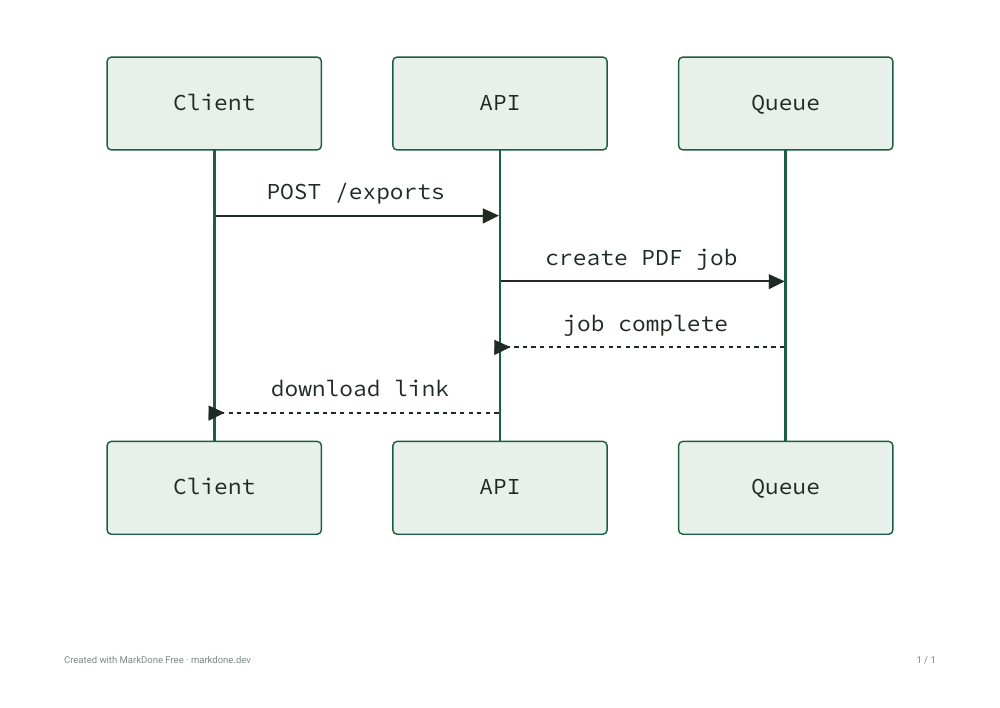
Mermaid example for an API sequence diagram
Paste a diagram block by itself when you only need the visual, or keep it inside a larger Markdown document when the PDF should include the explanation around it.
example.md
```mermaid
sequenceDiagram
  participant Client
  participant API
  participant Queue
  Client->>API: POST /exports
  API->>Queue: create PDF job
  Queue-->>API: job complete
  API-->>Client: download link
```
Mermaid to PDF for architecture and API docs
Export system diagrams for pull requests, onboarding pages, API handoff notes, incident reviews, database sketches, release plans, and decision records. The page is focused on visual Mermaid output, while the Markdown converter is better for prose-heavy documents.
Mermaid inside Markdown documents
When a diagram belongs inside a longer document, put it in a fenced mermaid block and export the full Markdown file. For prose-heavy exports, use Markdown to PDF for complete documents containing Mermaid diagrams.
Tips for readable Mermaid PDF output
Keep large systems split into smaller diagrams, use short labels, avoid extremely wide left-to-right flows, and check the preview before downloading. Smaller focused diagrams usually make better PDFs than one giant system map. Learn how to avoid cropped or blurry PDF exports.
Also export your Mermaid diagram as an image
For slides, documents, and image sharing, use Mermaid to PNG with selectable pixel resolution. For scalable graphics with a transparent background, use Mermaid to SVG for websites and design workflows. All three formats are available in the same export menu; PDF keeps the document-focused output described on this page.