Mermaid API Request Sequence Diagram Example
This Mermaid API request sequence diagram example shows a client asking for an order, an API querying a database, and two possible responses. Use it to explain a request lifecycle in an API design document, README, or team handoff.
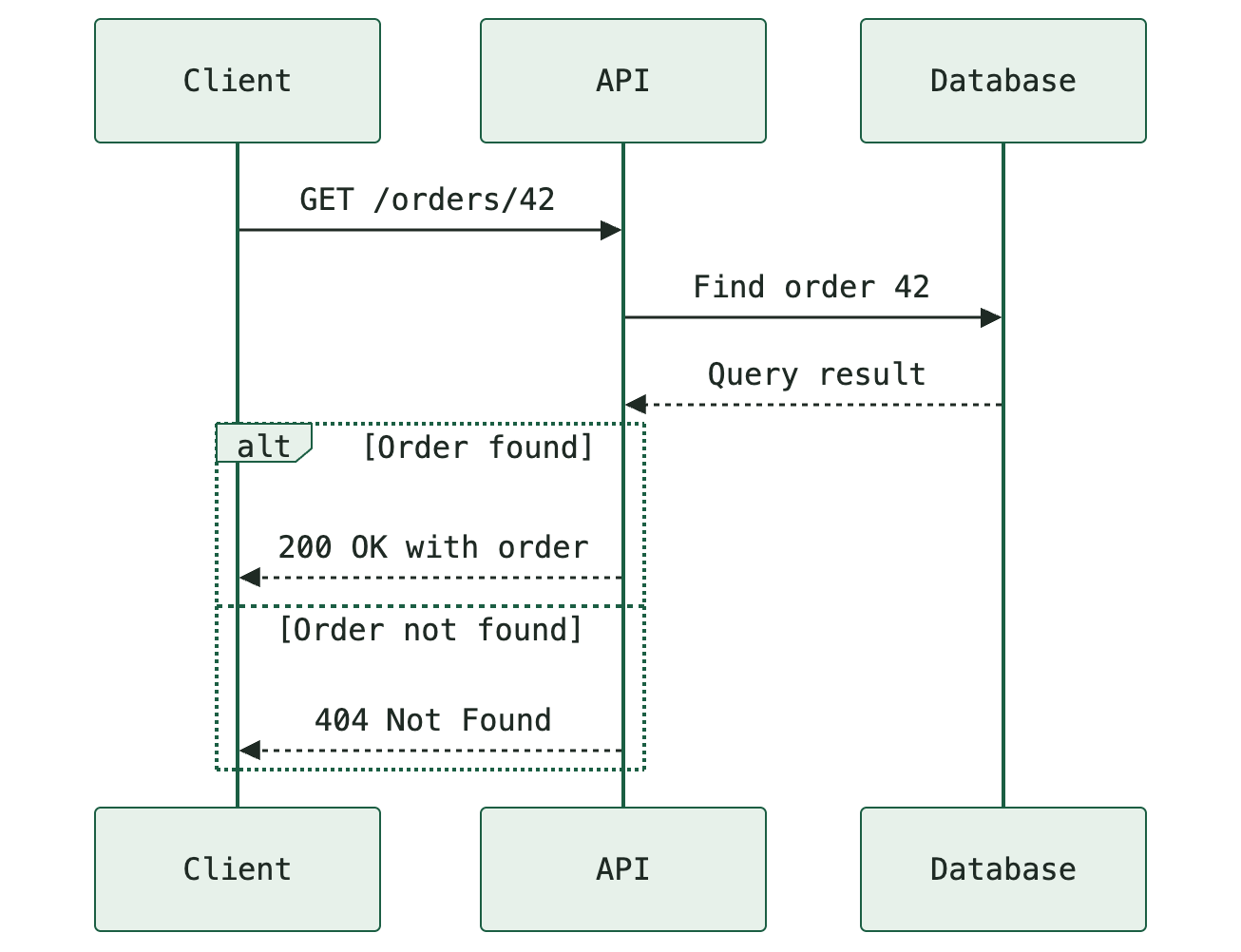
Open the template with its source already loaded, change it to match your workflow, and export in the format you need. Rendering and conversion run locally in your browser.
Copy the Mermaid source
Use this complete source in MarkDone or another Mermaid-compatible editor. Save the source alongside exported files so future changes remain straightforward.
sequenceDiagram
  participant Client
  participant API
  participant DB as Database
  Client->>API: GET /orders/42
  API->>DB: Find order 42
  DB-->>API: Query result
  alt Order found
    API-->>Client: 200 OK with order
  else Order not found
    API-->>Client: 404 Not Found
endDownload Mermaid source (.mmd) · Download PNG · Download SVG · Download PDF
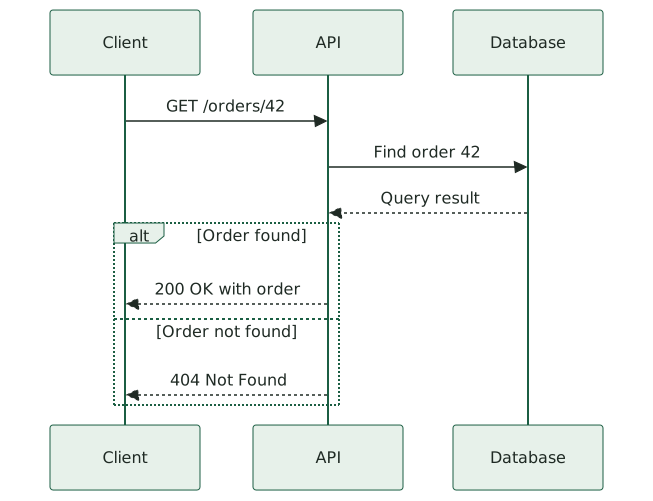
How this sequence diagram works
Read the interactions from top to bottom. The client sends a request to the API; the API queries the database and receives the result. The alternative block then separates a successful lookup from a missing order. Only one response branch is taken for a given request. This example illustrates those two outcomes; authentication failures, database outages, and retries would need their own branches.
The sequenceDiagram declaration introduces participant columns. participant DB as Database keeps a short identifier in the source and a readable name in the diagram. Solid arrows describe requests and dashed arrows describe replies in this example. The alt, else, and end lines group the alternative outcomes.
Adapt the template to your project
- Replace the endpoint and response labels with the route and payload used by your API. Keep secrets, credentials, and private identifiers out of shared examples.
- Add an authentication participant if token validation is important to the explanation. Put failed authorization in a separate alternative branch.
- Add a database-error branch if you need to describe operational failures. Do not treat a missing record as equivalent to an unavailable database.
After changing the code, check the preview before exporting. In particular, check that each branch reaches the intended outcome and that labels remain readable at the size your audience will use.
What to check before sharing
Place the database reply before the alternative response block when that result determines the outcome. Keep every alt or loop block balanced with an end line.
Use a sequence diagram when the main question is who sends what to whom, and in what order. For database entities and their relationships, use an ER diagram instead. This template documents behavior; it is not an executable API specification.
Choose PNG, SVG, or PDF
Use PNG when a slide, message, or application needs a fixed-resolution image. Use SVG for scalable artwork where the receiving application renders the labels correctly. Use PDF for a document attachment, print, or an explanation with accompanying Markdown. The downloads above use the same diagram in all three formats.
For resolution, fonts, and page-layout trade-offs, read Mermaid PNG vs SVG vs PDF. For document sizing and orientation, see how to avoid cropped or blurry Mermaid PDF exports.